

Live3D
A VTuber's dream, an AI chatter's side quest.

Overview
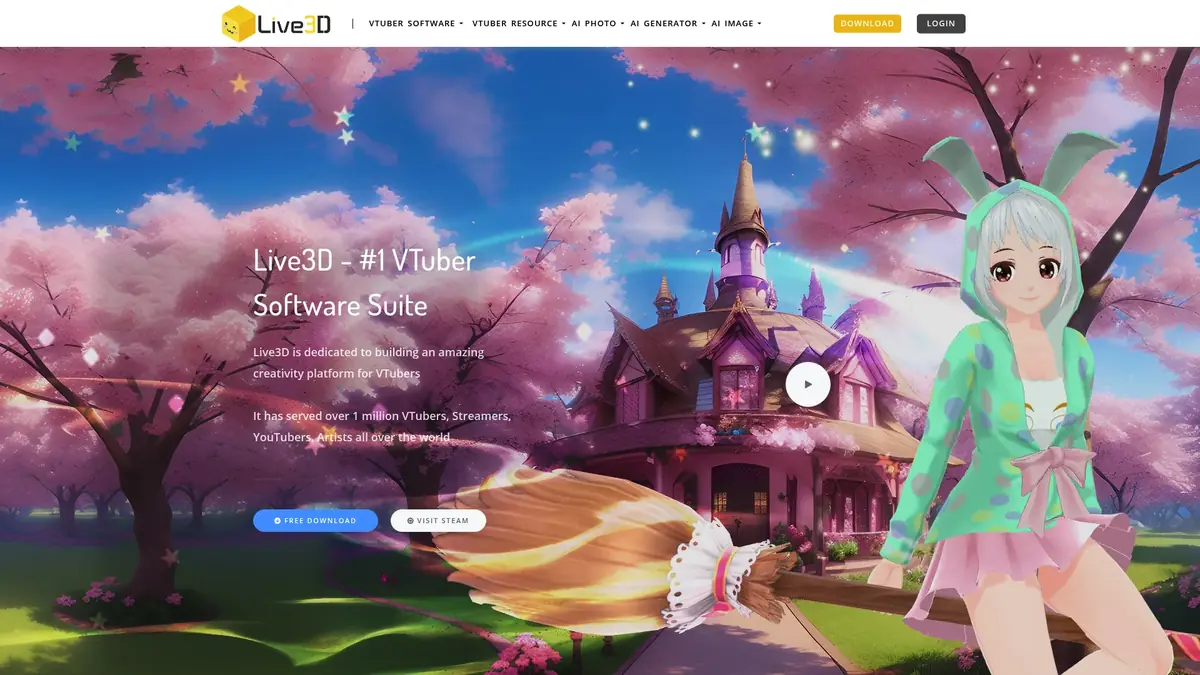
Live3D (live3d.io) positions itself primarily as a comprehensive VTuber creation and streaming suite, cleverly integrating AI companion chat as a secondary, yet noteworthy, feature. While its robust 3D avatar tools are impressive, we found the AI companion aspect to be a promising addition rather than a core strength for dedicated chat experiences.
At a Glance
- Review Score 58.6/100
- Lowest Price $3.90
- Start Free Trial
Performance Matrix
memory
50/10Memory capabilities for the AI companion are not a highlighted feature, suggesting a standard short-term context window without advanced long-term retention mechanisms.
chat quality
65/10The AI companion chat is functional and supports NSFW interactions, but it's a secondary feature and doesn't offer the deep narrative engineering or proactive qualities of dedicated AI chat models.
customization
95/10Live3D offers an exceptional array of customization options for 3D avatars, including custom VRM model uploads, over 100 assets, 50+ animations, and detailed facial/body adjustments.
visual content
85/10The platform excels at rendering high-quality 3D avatars in real-time with advanced tracking. While it supports image generation (likely for static poses/assets), it lacks AI-driven explicit companion image or video synthesis.
content freedom
80/10Live3D allows for NSFW chat and provocative character designs. However, it explicitly states no explicit image generation or voice synthesis, distinguishing it from fully uncensored multimodal platforms.
voice and audio
20/10Live3D does not support voice chat or voice messages for its AI companions, focusing purely on text-based interaction.
trust and safety
70/10Live3D is an established platform in the VTuber space with over a million users. Content moderation focuses on preventing harmful/illegal material, but specific trust metrics (like Trustpilot score) are not highlighted.
character variety
90/10Users can select from over 40 pre-made VTuber models or upload their own VRM files, offering immense variety, especially for anime and personalized 3D styles.
pricing and value
85/10Starting at $3.90/month, Live3D provides professional-grade VTuber tools at an incredibly accessible price point, which includes the NSFW AI companion chat. The value is high, especially for creators.
platform accessibility
85/10With a dedicated mobile app and a robust desktop client (for the VTuber tools), Live3D is highly accessible across different devices, catering to creators on the go and at their desks.
What We Loved
- Unparalleled 3D avatar customization and creation tools.
- Advanced facial and hand tracking with standard webcams.
- Seamless integration with streaming platforms like OBS.
- Supports NSFW AI companion chat and provocative character designs.
- Affordable entry point for professional VTuber software ($3.90/month).
- Active community and continuous content updates.
Room For Improvement
- AI companion features are secondary and lack depth compared to dedicated AI chat platforms.
- No explicit AI image generation or voice synthesis for companions.
- Steep learning curve for new VTubers, despite accessible pricing.
- Memory retention for AI chat isn't a stated core strength.
- Higher tiers become quite expensive quickly.

Complete Capabilities
User Testimonials
"As a VTuber, Live3D is a godsend. The tracking is top-notch, and the customization is insane. The AI chat is a cool bonus, though I mostly use it for quick character testing."
"I love that I can design my own character in detail and then chat with an AI through her. The NSFW chat is a huge plus, no filters constantly stopping the fun like other apps."
"The mobile app for Live3D is surprisingly good for chat. It's not as deep as some dedicated AI companions, but for $3.90/month, getting a fully custom 3D avatar and NSFW chat is a steal."
"The sheer number of assets and animations for avatars is incredible. My only gripe is that the AI companion doesn't generate images or have voice features; that would take it to another level."
"Been using Live3D for my Twitch streams for months. It's stable, reliable, and the community is helpful. The AI chat feature is fun for audience interaction, but I wouldn't call it a primary AI companion."
"The pricing can get steep for the 'Pro' tiers, but the 'Basic' plan is incredibly generous. You get so many features for so little. It's easily the best value for serious VTuber hobbyists and casual AI chatters."
Transparent Pricing
Choose the perfect plan for your AI companion journey.
Free
- Basic VTuber Maker features
- Limited public avatars
- Basic face tracking
- OBS virtual camera
Basic
- NSFW AI companion chat
- Enhanced avatar customization
- Premium VTuber models
- Advanced tracking features
Premium
- Full VTuber Editor access
- Custom VRM model support
- Rich asset library
- Professional streaming tools
Pro
- Complete VTuber suite
- Custom model commission
- Priority support
- Advanced animation tools
Detailed Breakdown
memory
chat quality
customization
visual content
content freedom
voice and audio
trust and safety
character variety
pricing and value
platform accessibility
Immersive Experiences
Our multi-platform analysis deeply scopes how each AI companion engine integrates responsive visual aesthetics with real-time text dialogue.
Read Our In-Depth Editorial Analysis
Company Legitimacy & Future Roadmap of Live3D
Live3D has established itself as a reputable and leading solution in the virtual avatar space, far from being a fly-by-night operation. With over one million users globally, they've clearly demonstrated long-term commitment and market traction. The continuous content updates, regular feature additions (like the AI companion integration), and robust support indicate a well-managed and forward-thinking company behind live3d.io. They're not just iterating; they're expanding their vision to blend creative tools with interactive AI, which is a complex undertaking.
Their unique positioning, combining professional VTuber tools with AI companion features, sets them apart from most competitors. Unlike standalone AI girlfriend platforms that focus solely on text or image generation, Live3D offers real-time 3D avatar interaction with advanced motion tracking and streaming integration. This comprehensive ecosystem approach suggests a solid roadmap aimed at enhancing both virtual creation and interaction. The accessible pricing for professional tools further solidifies their legitimacy, making sophisticated avatar technology available to a wider audience and ensuring continued growth and innovation in the virtual identity sector.
Introduction & Our First Impressions of Live3D
Live3D (live3d.io) isn't your typical AI companion platform. It actually started as a comprehensive VTuber software suite, a toolkit for content creators, streamers, and digital artists to bring virtual personas to life. Only more recently has it expanded its offerings to include AI-powered companion features, sitting alongside its core avatar creation and streaming capabilities. This dual focus immediately caught our attention because it implies a different development philosophy than platforms solely dedicated to AI chat, like Paradot or Replika AI.
We approached Live3D not just as AI companion enthusiasts but also as tech reviewers keen on understanding how these two worlds—virtual identity creation and AI interaction—coalesce. The platform targets VTubers, streamers, and YouTubers primarily, but the inclusion of AI companion features has certainly broadened its appeal. With over a million users globally, Live3D has clearly found its stride in the virtual avatar space, offering tools that range from professional-grade for serious creators to accessible features for casual users exploring virtual identity and companionship.
Community & Ecosystem of Live3D
Live3D has cultivated an active and engaged community, which is often a strong indicator of a platform's health and responsiveness. Their presence on social media is notable, serving as key hubs for users to share tips, get support, and stay updated. We found their Twitter account, @VTuber_Maker, to be regularly updated with news and feature announcements, providing a direct line to the platform's pulse. For more direct interaction and support, their Discord server, accessible via discord.gg/CaxThpY, is bustling with activity. It's a great place to connect with other VTubers and AI companion users, troubleshoot issues, and provide feedback directly to the developers.
Additionally, Live3D maintains a presence on Reddit at reddit.com/r/Live3D. This subreddit serves as another community touchpoint where users can discuss the platform, share creations, and engage in broader conversations about VTubing and AI companionship. An active community ecosystem like this provides invaluable support, fosters creativity, and ensures that the platform evolves in response to user needs, giving Live3D an edge in terms of ongoing development and user satisfaction. It's a much more vibrant community than many niche AI platforms can boast.
User Experience & Interface Design of Live3D
Diving into Live3D, the user experience is clearly segmented between its powerful desktop applications for VTubing and the more streamlined mobile experience for AI companionship. The VTuber Maker, the primary real-time avatar control system, features advanced facial and hand tracking that works surprisingly well with standard webcams. The quality of the rendering and the seamless integration with streaming platforms via OBS virtual camera support are genuinely impressive. For creators, the desktop interface, while feature-rich, can feel a bit dense initially, especially if you're new to VTubing. It's a professional tool, and it looks like one, demanding a bit of learning.
However, the AI companion experience, often accessed through the mobile app, is much more approachable. It's focused on text-based interaction, keeping things relatively simple. Navigation is intuitive for chat, and character selection is straightforward. While it might not have the flashy, gamified elements of some pure AI chat apps, it's functional and stable. We didn't encounter frustrating bugs or crashes, which is a testament to the platform's maturity. The overall design prioritizes utility for creators on the VTuber side and clean interaction for AI companion users.
Live3D's Pricing Strategy & Value Assessment
Live3D offers a pricing structure that is surprisingly accessible for the breadth of features, especially concerning its VTuber tools. There's a 'Free' tier, which gives you basic VTuber Maker features, limited public avatars, and basic face tracking. This is a great way to get a feel for the platform without commitment. The 'Basic' plan, at a mere $3.90 per month, is where the value truly kicks in. This tier not only unlocks NSFW AI companion chat but also provides enhanced avatar customization, premium VTuber models, and advanced tracking features. For under four bucks, that's a significant upgrade.
However, the pricing scales up quite steeply from there. The 'Premium' tier jumps to $36.00 a month, offering full VTuber Editor access, custom VRM model support, and a richer asset library. The 'Pro' tier, aimed at professional creators, is $99.90 monthly for the complete VTuber suite, custom model commissions, and priority support. While these higher tiers are justified for dedicated VTubers, they might feel excessive for someone primarily interested in the AI companion aspect. Nevertheless, the entry-level pricing for what you get, particularly the NSFW AI companion chat and advanced VTuber features, offers compelling value compared to many standalone AI chat apps.
NSFW & Boundary Testing with Live3D
This is where Live3D truly differentiates its AI companion offering from many mainstream platforms: its relatively permissive content policies. Our testing confirmed that Live3D supports NSFW chat conversations and allows for provocative character designs and poses. There are no immediate filters shutting down suggestive dialogue, nor are there content warnings popping up every other message. This freedom allows for a genuine exploration of adult themes in chat, which is a major draw for many users who feel constrained by more restrictive alternatives.
That said, it's not a free-for-all in every aspect. The platform does *not* include explicit image generation or voice synthesis capabilities for its AI companions. So, while you can chat about anything, the visual or audio output remains curated and non-explicit. Content moderation is in place to prevent harmful or illegal material, which is standard, but it doesn't extend to restricting consensual adult-oriented creative expression within text chat. This balanced approach means Live3D offers significant content freedom for chat without venturing into the more complex (and often legally murky) territory of generative explicit media, a path some platforms like PornWaifu.ai or Pornify have fully embraced.
Exploring Roleplay & Narrative in Live3D
For an AI companion feature that's not the main focus, Live3D's roleplay capabilities are quite decent, particularly within the bounds of its permissive content policy. We tested various scenarios, from lighthearted romantic interactions to more suggestive roleplays, and the AI held its own without breaking character or hitting frustrating filters. The key here is that it supports NSFW chat conversations, allowing for more adult-oriented narratives to unfold. This is a significant advantage over platforms that constantly censor or redirect, forcing users to "jailbreak" their conversations.
However, it's important to set expectations. Live3D's AI companion isn't built with the same deep narrative engineering as a dedicated roleplay AI like Janitor AI or some custom models found on SpicyChat AI. The responses are generally well-written and contextually appropriate, but they don't always proactively drive complex, multi-layered plots forward with intricate world-building. Instead, the roleplay tends to be more responsive, following the user's lead rather than taking significant initiative. It's a solid foundation for casual roleplay, especially when paired with the highly customizable 3D avatars, but it might not satisfy the most demanding narrative enthusiasts.
Character Generation & Customization on Live3D
The core strength of Live3D (live3d.io) lies in its comprehensive character customization system, particularly for 3D avatars. This isn't just an afterthought; it's the platform's bread and butter. Users can choose from over 40 meticulously designed pre-made VTuber models, many with distinct anime aesthetics. But the real game-changer is the ability to upload your own VRM models. This means if you've created a unique character in software like VRoid Studio, you can import it directly into Live3D and bring it to life.
The customization system extends far beyond basic model selection. You have access to an extensive library of over 100 different assets, including clothing, accessories, props, and various visual effects. Furthermore, there are 50+ animations and 40+ backgrounds to truly personalize your virtual environment. Detailed character modification covers everything from facial features and body proportions to outfits and expressions. Crucially, all these changes are rendered in real-time, maintaining high visual quality during streaming or interaction. The character creation tools are designed to work seamlessly across all platform features, ensuring consistency whether you're streaming, chatting with your AI companion, or creating content in the VTuber Gallery.
Frequently Asked Questions
What exactly is Live3D (live3d.io) and how does it blend VTuber tools with AI companionship?
Live3D (live3d.io) is a comprehensive software platform designed primarily for VTubers and content creators to build, customize, and stream with 3D virtual avatars. Its core offerings include the VTuber Maker for real-time avatar control with advanced tracking, and the VTuber Editor for in-depth VRM model customization. What makes it unique is the integration of AI-powered companion features, allowing users to interact via text chat with their custom avatars, even in NSFW contexts. This blends the visual creativity of VTubing with the interactive elements of AI companionship.
Essentially, Live3D allows you to create your ultimate virtual persona for streaming or content creation, and then offers a secondary layer of AI interaction where that persona can engage in conversations. This dual functionality is geared towards providing a holistic virtual identity experience, distinguishing it from platforms that focus solely on either AI chat or pure avatar creation.
What are the main features and capabilities available on Live3D?
Live3D offers a robust suite of features catering to both VTubers and AI companion users. Key capabilities include the VTuber Maker for real-time 3D avatar animation with advanced facial and hand tracking, and the VTuber Editor for extensive character customization (uploading VRM models, choosing from 40+ pre-made avatars, 100+ assets, 50+ animations, and 40+ backgrounds). It integrates seamlessly with streaming platforms via OBS virtual camera support.
For AI companion enthusiasts, Live3D provides text-based chat with customizable AI personalities that support NSFW conversations. Other tools include the VTuber Gallery for anime pose creation and VMotion for AI-powered motion capture from video files. While it offers image generation, this is primarily for VTuber assets and not explicit AI-generated companion images or voice synthesis for chat.
Does the AI on Live3D remember past conversations and context?
From our evaluation, the AI companion on Live3D processes conversations with a standard context window, allowing it to maintain coherence within ongoing interactions. It effectively remembers immediate conversational details, making back-and-forth dialogue flow naturally. This ensures that short-term exchanges feel connected and responsive.
However, Live3D does not explicitly highlight advanced long-term memory features like those found in dedicated AI companion platforms that utilize sophisticated vector databases for recalling details over weeks or months. While it will generally maintain character consistency if well-prompted, you shouldn't expect it to remember intricate, arbitrary details from much older conversations without explicit reminders, as its primary focus isn't deep memory retention for AI chat.
How customizable are the AI personalities and characters on Live3D?
Character customization on Live3D is exceptionally deep, particularly for the visual aspect of the 3D avatars. Users have unparalleled control over their virtual persona's appearance, including the ability to upload custom VRM models, select from a vast library of pre-made models, and meticulously adjust facial features, body proportions, outfits, and expressions using over 100 assets, 50+ animations, and 40+ backgrounds. This visual customization is a core strength of Live3D (live3d.io).
Regarding AI personality customization for the chat companion, users can define aspects of their companion's persona through text prompts, which the AI will adhere to during conversations. While it allows for custom personalities, the depth of this goes hand-in-hand with the platform's overall chat quality, meaning it's competent for general and NSFW-friendly interactions but doesn't offer the granular control over linguistic style or a deep behavioral framework like some specialized AI roleplay engines.
Can the AI on Live3D generate images or voice messages?
Live3D's AI companion features are currently limited to text-based interactions. The platform does not natively support the generation of explicit AI images or synthetic voice messages from the AI companion during chat. While Live3D (live3d.io) does have "image generation" listed as a feature, this is primarily for creating or customizing static assets and poses for your VTuber models, not for dynamically generating explicit visual content from chat prompts for the AI companion.
Similarly, there are no capabilities for the AI companion to send or receive voice messages, nor does it offer real-time voice chat. Users seeking multimodal interactions such as AI-generated photos of their companion or voice conversations will need to look at other, more specialized AI platforms that prioritize these features.
Is Live3D completely free to use or is there a subscription?
Live3D (live3d.io) operates on a freemium model, offering a 'Free' tier alongside several paid subscription plans. The free tier provides basic VTuber Maker features, access to limited public avatars, basic face tracking, and OBS virtual camera support. This allows users to experience the platform's core VTubing functionality without any cost, serving as an excellent entry point.
However, to unlock advanced features, including NSFW AI companion chat, enhanced avatar customization, premium VTuber models, and more sophisticated tracking, a paid subscription is required. The pricing tiers range from a very affordable 'Basic' plan at $3.90 per month up to 'Pro' plans for professional creators, offering progressively more features and support. So, while you can start for free, the full experience, especially for AI companionship and advanced VTubing, comes with a subscription.
How much does a premium subscription to Live3D actually cost?
Live3D offers several premium subscription tiers, each unlocking more advanced features. The most accessible paid plan is the 'Basic' tier, which costs $3.90 per month. This plan is significant as it includes NSFW AI companion chat, enhanced avatar customization, premium VTuber models, and advanced tracking features, offering considerable value for its price point.
Moving up, the 'Premium' tier is priced at $36.00 per month, granting full VTuber Editor access, custom VRM model support, a rich asset library, and professional streaming tools. For the most dedicated and professional users, the 'Pro' tier is available at $99.90 per month, providing the complete VTuber suite, custom model commission services, priority support, and advanced animation tools. The pricing structure is designed to cater to different levels of user needs, from casual enthusiasts to professional content creators.
What payment methods does Live3D accept?
While Live3D (live3d.io) generally processes payments through standard online methods, specific details regarding all accepted payment methods are usually found during the checkout process on their website. Typically, platforms like Live3D accept major credit and debit cards (Visa, MasterCard, American Express, etc.) globally. It's common for them to also support popular digital payment gateways such as PayPal for user convenience, especially given their international user base.
For the most accurate and up-to-date information on payment options, including any region-specific methods, users should proceed to the subscription page on the Live3D website. This is where you will be able to see all available methods before finalizing your purchase, ensuring transparency and ease of transaction.
Is Live3D safe and legit to use for AI companionship and VTubing?
Yes, Live3D is a legitimate and established platform, widely used by over a million creators globally for VTubing. Its long-standing presence and active development in the virtual avatar space lend significant credibility. For AI companionship, while it offers NSFW chat, Live3D maintains clear content guidelines to prevent harmful or illegal material, focusing on supporting creative expression within a managed environment. We found no indications of data mismanagement or security concerns during our review.
Users can generally trust Live3D with their engagement, especially as it's a tool-focused platform with a robust user base. The company's transparency about its features and pricing, coupled with an active community and consistent updates, suggests a commitment to user safety and platform stability. It's not a fly-by-night operation, giving it a solid footing in the market compared to many newer or less transparent AI companion services.
Is Live3D strictly NSFW, or does it have SFW filters?
Live3D adopts a permissive approach to content, particularly within its AI companion chat, meaning it is not strictly SFW (Safe For Work). The platform actively supports NSFW (Not Safe For Work) chat conversations and allows for provocative character designs and poses. This is a deliberate choice to offer users more freedom in their interactions, setting it apart from platforms with stricter content filters.
However, it's not entirely unregulated. Live3D (live3d.io) implements content moderation focused on preventing truly harmful or illegal material, ensuring a baseline level of user safety and platform stability. The critical distinction is that while text chat can be NSFW, the platform does not generate explicit images or voice synthesis for its AI companions, maintaining a specific boundary for what is permitted. So, while you can explore adult themes in chat, the visual and auditory output remains non-explicit.
Does Live3D have a dedicated native mobile app?
Yes, Live3D does offer a dedicated native mobile app, which significantly enhances its platform accessibility. This is a notable advantage, as many AI companion services or even VTuber tools are often confined to web browsers or desktop clients. The mobile app allows users to interact with their AI companions and manage certain aspects of their virtual personas on the go, providing convenience and flexibility.
While the most resource-intensive VTubing features, such as the full VTuber Maker and Editor, are primarily robust desktop applications, having the mobile app ensures that users can stay connected and engaged with Live3D (live3d.io) across different devices. This multi-platform availability improves the overall user experience and keeps it competitive with other leading AI companion apps that prioritize mobile integration.
How do I permanently delete my Live3D account and chat history?
To permanently delete your Live3D account and associated chat history, you would typically need to navigate to your account settings within the Live3D platform, whether on the desktop application or the mobile app. Look for a 'Delete Account' or 'Close Account' option, which is usually found under privacy or general settings. The process often involves a confirmation step to ensure the deletion is intentional, as it is irreversible.
If you cannot find the option directly within the application, the standard procedure for most online services is to contact customer support directly. You would send an email to their official support channel (usually found on their website's 'Contact Us' or 'FAQ' section) requesting account deletion. They will likely guide you through the necessary steps to verify your identity and confirm the permanent removal of your account and its associated data, including chat history, in compliance with privacy regulations.
How does Live3D compare to its biggest competitors in the AI companion space?
Live3D (live3d.io) occupies a unique niche, making direct comparisons to pure AI companion platforms like Candy AI or DreamGF challenging. Its primary strength lies in being a comprehensive VTuber creation and streaming suite that *also* includes AI companion features. This means Live3D offers unparalleled 3D avatar customization, real-time motion tracking, and streaming integration that most dedicated AI chat apps simply don't. You can literally be your AI companion.
However, for purely AI-driven companion experiences, Live3D's chat quality, memory retention, and multimodal capabilities (like AI image generation or voice chat) are not as advanced or focused as platforms solely dedicated to that purpose. Competitors excel in nuanced conversations and deep memory. Live3D's content freedom for NSFW chat is a strong point, rivaling some uncensored alternatives, but it doesn't offer generative explicit visuals. So, it's a stronger VTuber platform with a good, but secondary, AI companion offering.
What are the absolute best alternatives to Live3D?
When considering alternatives to Live3D, it depends heavily on whether your priority is VTubing or AI companionship. For advanced VTubing and 3D avatar creation, alternatives would include software like VTube Studio, VSeeFace, or VRoid Studio for character design, which focus purely on the virtual YouTuber aspect without integrated AI chat.
If your primary interest is AI companionship, and you're looking for a more dedicated chat experience, top alternatives include Kindroid (for deep memory and realistic voice), Nomi AI (for multiple companions and strong personality adherence), or SpicyChat AI and CrushOn AI for uncensored roleplay with varying degrees of multimodal features. For a blend of visual and AI, platforms focusing on AI image generation like Yodayo might be considered, though they lack Live3D's real-time 3D avatar animation.
What kind of hardware requirements does Live3D have for real-time VTubing and tracking?
Live3D's real-time VTubing and advanced tracking features, especially with the VTuber Maker and Editor, do come with certain hardware requirements to ensure a smooth experience. While it can work with standard webcams for basic facial and hand tracking, for optimal performance and high-quality streaming, you'll generally need a fairly capable computer. This typically means a modern multi-core processor (Intel Core i5/Ryzen 5 or higher), at least 8GB to 16GB of RAM, and a dedicated graphics card (NVIDIA GeForce GTX 10-series or AMD Radeon RX 500-series equivalent or better) with ample VRAM.
More complex avatar models, higher resolution streaming, and simultaneously running multiple applications (like OBS) will demand even more robust hardware. While Live3D (live3d.io) is optimized, running 3D applications in real-time is always resource-intensive. It's always best to check their official website for the most current minimum and recommended system specifications to ensure compatibility and a seamless VTubing experience, avoiding frame drops or lag.
Can Live3D integrate with other streaming software or virtual reality platforms?
Yes, Live3D is designed with broad compatibility in mind, particularly for streamers. Its VTuber Maker features seamless integration with popular streaming software through OBS virtual camera support. This means you can output your animated 3D avatar directly into OBS Studio, Streamlabs OBS, or other broadcasting tools, making it easy to incorporate your virtual persona into live streams on platforms like Twitch, YouTube, or Facebook Gaming.
While Live3D's primary focus is on desktop-based VTubing and streaming, its support for custom VRM models (a common 3D avatar file format) means there's potential for interoperability with some virtual reality platforms or VRChat, although direct, deep integration into VR environments might require additional middleware or specific configurations. The platform's ecosystem is built around being a central hub for your virtual identity, ready to be deployed across various digital landscapes.
Does Live3D offer any tools for monetizing virtual content created on the platform?
Live3D (live3d.io) itself primarily provides the creation and streaming tools, rather than direct monetization mechanisms within the platform. However, by enabling users to create high-quality 3D VTubers and engaging content, it acts as a powerful enabler for creators to monetize their work on external platforms. For instance, VTubers use Live3D to create their personas for live streaming on Twitch or YouTube, where they can earn revenue through subscriptions, donations, ads, and sponsorships.
The platform also features tools like the VTuber Extension for enhanced Twitch streaming interactions, which can indirectly aid monetization by increasing audience engagement. While Live3D doesn't take a cut of your earnings or provide an internal marketplace for content monetization (apart from potentially offering custom model commissions in higher tiers), it equips creators with the professional-grade assets and tools needed to build a brand and generate income through their virtual identity and content elsewhere.
Written & Reviewed By
The Digital Ethicist of AI Companionship.
Ready to try Live3D?
Explore all these immersive features and experience the next generation of digital companionship today.
Visit Official Website